
We can enroll devices in bulk into Intune via Partner Center if the need arises.
Requirements: Order Number file formatted as a .csv with column and values added for PKID (Product Key ID)
Steps:
Open Partner Center and locate the customer's account

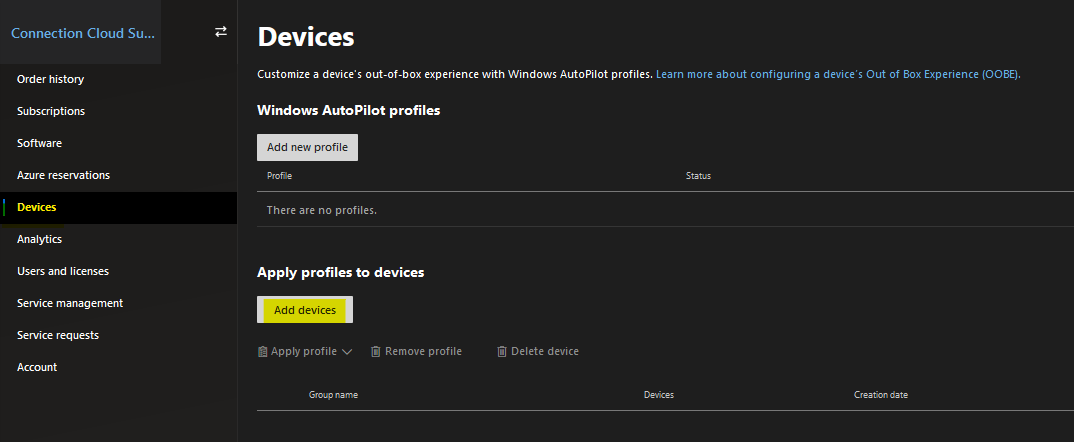
Click on Devices and then Add Devices
Insert the .csv file from your local PC and click Save
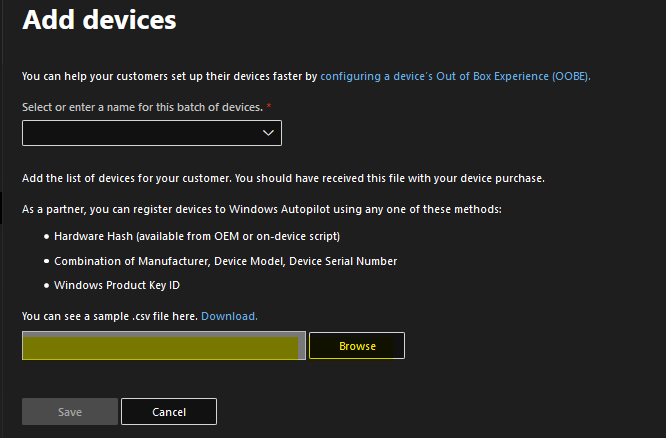
The devices from the csv file will be enrolled into Intune ready for Windows 10 OOBE
Microsoft's Documentation: https://docs.microsoft.com/en-us/mem/intune/enrollment/device-enrollment-manager-enroll
Comments
0 comments
Please sign in to leave a comment.